Service design · Internal tools
Salesforce Global Traction Toolkit
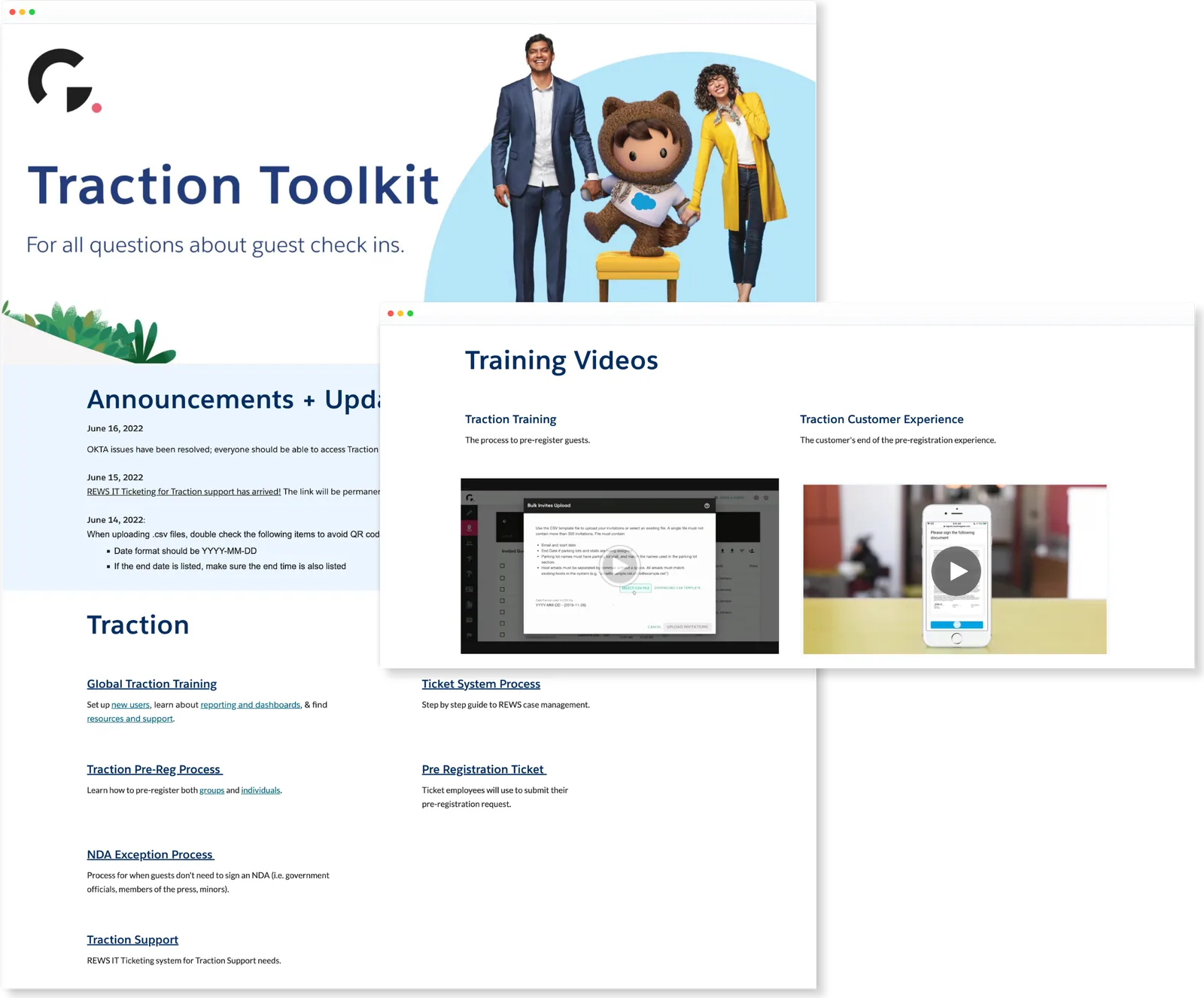
- 67 offices in 28 countries now use the toolkit
- Duration
- April – June 2022 (6 weeks)
- My role
- UX Designer; research, design, and testing
- Team
- 2 content designers and 1 PM
- Tools
- Illustrator, Photoshop, Mural, Google Sites
Salesforce’s Guest Services Ambassadors help roughly 15,000 employees and their guests every month, but the resources for the guest check-in process were scattered across different sites. I designed a single hub that organizes every step of the process, now used across 67 offices in 28 countries.
This is operational design from early in my career, built on Google Sites rather than in a product codebase; it’s here because the research-to-adoption loop is the same one I run today.
The real problem
GSAs help hundreds of guests a day, and every resource they needed (pre-registration steps, check-in procedures, training materials) lived somewhere different. Digging for documents mid-interaction meant longer lines and frustrated employees and guests. The problem wasn’t missing information; it was that no one place held the process.
Approach
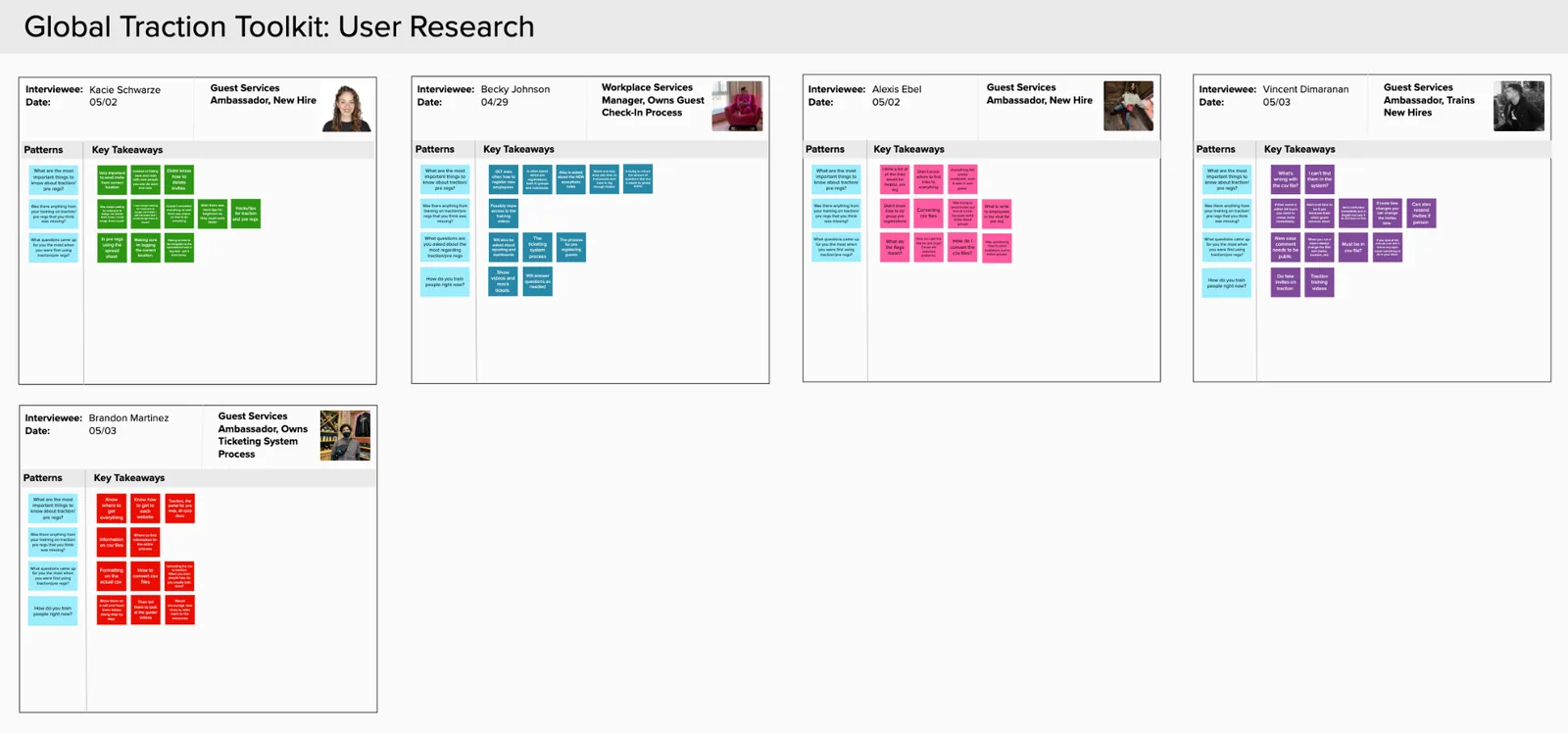
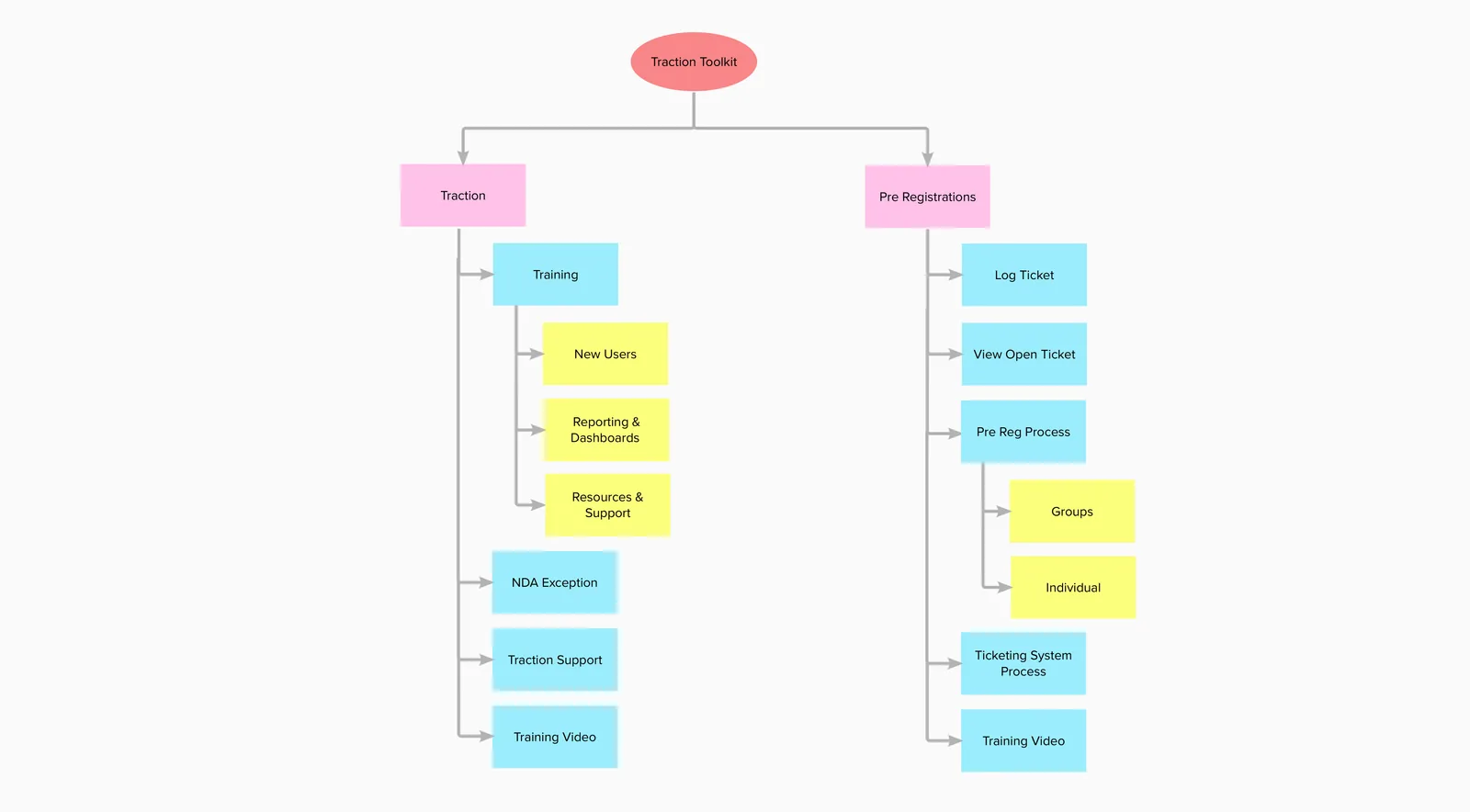
I started by interviewing the Salesforce HQ team about what guest information mattered most, then synthesized the research into an organizing principle: structure the hub around the stages of the check-in process (pre-registration → in-person → training), not around document types. I sketched multiple arrangements, asked working GSAs which they could navigate fastest, and iterated from their feedback; 12 GSAs tested earlier versions before launch, shaping the organization, visual presentation, and how resources were explained.
What shipped
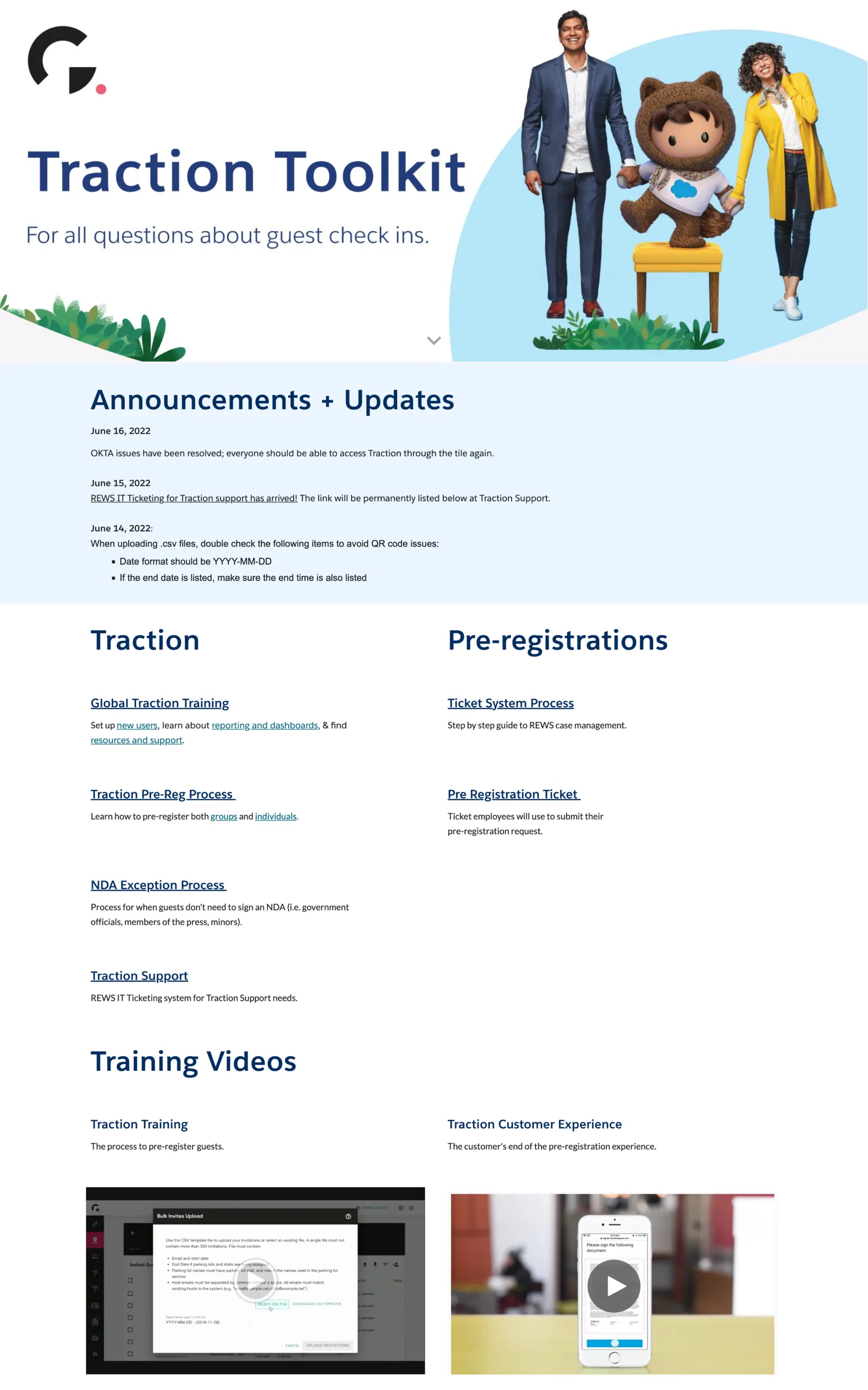
A global hub with announcements (keeping GSAs current on policy changes), key resources ordered by process stage, and training videos used to onboard new hires, adopted across 67 offices in 28 countries.
Outcome
The strongest evidence came from the people who owned the process:
“I receive about a quarter of the questions, globally, that I used to surrounding the guest check-in process.”
“I was able to train a new hire significantly more smoothly with having all the resources in one place, and they were able to utilize the web page after training.”
New hires reported being able to work independently after onboarding with the toolkit.
We didn’t instrument usage formally; adoption across 67 offices and the drop in questions to the process owner were the signals we had. Today I’d baseline check-in time and question volume before launch.